> ## Documentation Index
> Fetch the complete documentation index at: https://docs.rxresu.me/llms.txt
> Use this file to discover all available pages before exploring further.
# Exporting your data
> Download everything in your Reactive Resume account, including resumes, cover letters and job applications, as JSON files in a single zip archive.
You can download a copy of everything you have stored in Reactive Resume in one step. Use it as a backup, to keep a record before [deleting your account](/guides/deleting-your-account), or to take your data elsewhere.
## Download the archive
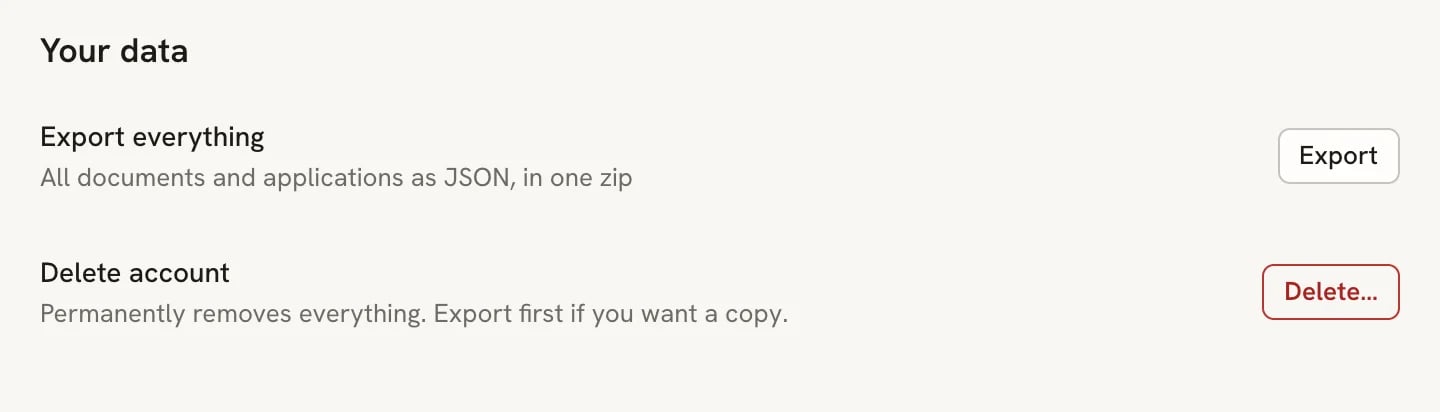
Select your name at the bottom of the sidebar, then **Settings**. On the **Account** page, scroll to **Your data**.
Next to **Export everything**, select **Export**. Your browser downloads a file named `reactive-resume-` followed by today's date, for example `reactive-resume-2026-09-30.zip`.
 ## What's in the zip
| File | Contents |
| - | - |
| `account.json` | Your name, email, username, photo address, whether your email is verified, and when the account was created and last updated. |
| `applications.json` | Every job application with its status, job details, notes, contacts, follow-ups and activity. |
| `resumes/` | One JSON file per resume, including those in the trash. Each holds the resume's name, public address, tags, sharing settings and the full resume content. |
| `letters/` | One JSON file per cover letter. |
Each resume and letter file is named after the document plus a unique ID, so two documents with the same name don't overwrite each other.
The archive doesn't include your password, passkeys, two-step verification codes, API keys or AI provider keys. Uploaded images, such as resume photos, are listed by their address rather than included as files.
To restore a resume or letter, extract the archive and import its individual JSON file from `resumes/` or `letters/`.
Resume content and design are restored as a new document; account settings, document sharing settings and application
links are not restored. The whole zip is an account backup, not a bulk-import file. You can also download one resume
as **JSON** from the **Share** sheet. See [Importing resumes](/guides/importing-resumes).
## Related guides
* [Exporting your resume](/guides/exporting-your-resume): PDF, Word, Markdown and JSON for a single resume.
* [Importing resumes](/guides/importing-resumes): bring a resume file into Reactive Resume.
* [Deleting your account](/guides/deleting-your-account): remove your account and everything in it.
This documentation is built and hosted on [Mintlify](https://mintlify.com), a developer documentation platform.
## What's in the zip
| File | Contents |
| - | - |
| `account.json` | Your name, email, username, photo address, whether your email is verified, and when the account was created and last updated. |
| `applications.json` | Every job application with its status, job details, notes, contacts, follow-ups and activity. |
| `resumes/` | One JSON file per resume, including those in the trash. Each holds the resume's name, public address, tags, sharing settings and the full resume content. |
| `letters/` | One JSON file per cover letter. |
Each resume and letter file is named after the document plus a unique ID, so two documents with the same name don't overwrite each other.
The archive doesn't include your password, passkeys, two-step verification codes, API keys or AI provider keys. Uploaded images, such as resume photos, are listed by their address rather than included as files.
To restore a resume or letter, extract the archive and import its individual JSON file from `resumes/` or `letters/`.
Resume content and design are restored as a new document; account settings, document sharing settings and application
links are not restored. The whole zip is an account backup, not a bulk-import file. You can also download one resume
as **JSON** from the **Share** sheet. See [Importing resumes](/guides/importing-resumes).
## Related guides
* [Exporting your resume](/guides/exporting-your-resume): PDF, Word, Markdown and JSON for a single resume.
* [Importing resumes](/guides/importing-resumes): bring a resume file into Reactive Resume.
* [Deleting your account](/guides/deleting-your-account): remove your account and everything in it.
This documentation is built and hosted on [Mintlify](https://mintlify.com), a developer documentation platform.