> ## Documentation Index
> Fetch the complete documentation index at: https://docs.rxresu.me/llms.txt
> Use this file to discover all available pages before exploring further.
# Using Private Notes
> Learn how to use the Private Notes section in Reactive Resume to keep track of job applications, company details, and other personal reminders for each resume.
## What are Private Notes?
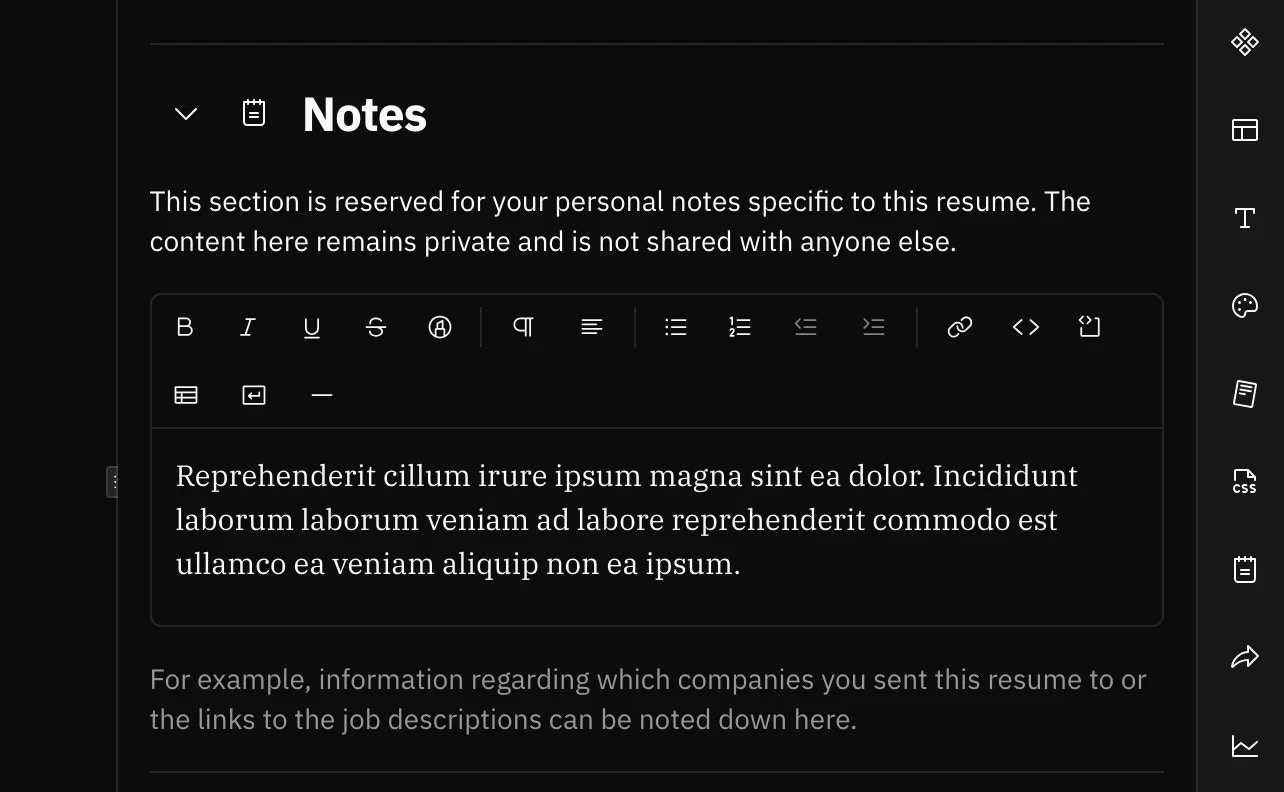
The **Private Notes** section is a dedicated space for storing personal information about a specific resume. This content is completely private and will never appear on your resume, whether viewed publicly or exported as a PDF.
Think of it as a built-in notebook attached to each resume where you can jot down anything relevant to your job search.
Private Notes are stored with that resume's data and are only visible to you when editing the resume.
## Where to find it
In the resume builder, open the **right sidebar** and select **Notes** from the available sections.
 ## Use cases
Private Notes are designed to help you stay organized during your job search. Here are some practical ways to use them:
### Track job applications
Keep a record of where you've sent this particular resume:
* Company names and positions applied for
* Application dates and deadlines
* Recruiter or hiring manager contact information
* Application status (submitted, interviewing, offer, rejected)
### Save job description links
Paste links to the original job postings so you can quickly reference them when preparing for interviews or following up.
Job postings often get taken down after a position is filled. Consider copying key requirements or responsibilities
into your notes as a backup.
### Interview preparation
Store notes to help you prepare:
* Questions you want to ask the interviewer
* Key points to highlight from your experience
* Salary expectations and negotiation notes
* Company research and talking points
### Version control reminders
If you maintain multiple versions of your resume, use notes to remind yourself:
* What makes this version unique
* Which types of roles this resume is tailored for
* What was changed from your base resume
### Follow-up reminders
Track your follow-up schedule:
* When you last followed up with a company
* Next steps and deadlines
* Response notes from recruiters
## How to use it
In the resume builder, click on **Notes** in the right sidebar to expand the section.
Use the rich text editor to add your notes. You can format text with bold, italics, bullet points, and more.
Your notes are saved automatically as you type. There's no need to click a save button.
## Privacy guarantee
Private Notes are for your eyes only. They will **never** appear in your exported files, on your public resume link, or
in a printed version of your resume.
This makes it safe to store sensitive information like salary expectations, candid thoughts about opportunities, or personal reminders that you wouldn't want an employer to see.
## Tips for effective note-taking
* **Be consistent**: Use a similar format across all your resumes to make it easy to find information
* **Date your entries**: Add dates when noting application submissions or follow-ups
* **Keep it relevant**: Focus on information specific to this resume version and its target roles
* **Update regularly**: Keep your notes current as your job search progresses
## Use cases
Private Notes are designed to help you stay organized during your job search. Here are some practical ways to use them:
### Track job applications
Keep a record of where you've sent this particular resume:
* Company names and positions applied for
* Application dates and deadlines
* Recruiter or hiring manager contact information
* Application status (submitted, interviewing, offer, rejected)
### Save job description links
Paste links to the original job postings so you can quickly reference them when preparing for interviews or following up.
Job postings often get taken down after a position is filled. Consider copying key requirements or responsibilities
into your notes as a backup.
### Interview preparation
Store notes to help you prepare:
* Questions you want to ask the interviewer
* Key points to highlight from your experience
* Salary expectations and negotiation notes
* Company research and talking points
### Version control reminders
If you maintain multiple versions of your resume, use notes to remind yourself:
* What makes this version unique
* Which types of roles this resume is tailored for
* What was changed from your base resume
### Follow-up reminders
Track your follow-up schedule:
* When you last followed up with a company
* Next steps and deadlines
* Response notes from recruiters
## How to use it
In the resume builder, click on **Notes** in the right sidebar to expand the section.
Use the rich text editor to add your notes. You can format text with bold, italics, bullet points, and more.
Your notes are saved automatically as you type. There's no need to click a save button.
## Privacy guarantee
Private Notes are for your eyes only. They will **never** appear in your exported files, on your public resume link, or
in a printed version of your resume.
This makes it safe to store sensitive information like salary expectations, candid thoughts about opportunities, or personal reminders that you wouldn't want an employer to see.
## Tips for effective note-taking
* **Be consistent**: Use a similar format across all your resumes to make it easy to find information
* **Date your entries**: Add dates when noting application submissions or follow-ups
* **Keep it relevant**: Focus on information specific to this resume version and its target roles
* **Update regularly**: Keep your notes current as your job search progresses