

Choose a format
If you’re unsure, choose PDF. It’s the format most employers expect.
Download a PDF
In the editor bar, select Download PDF, or press ⌘ P (Ctrl P on Windows and Linux). The button shows Preparing… while the file is made, then your browser saves it.
The Download PDF button. The arrow beside it opens every format.
David-Kowalski-Resume.pdf. If the resume has no name yet, the document’s name is used.
In the editor, ⌘ P downloads the PDF instead of opening your browser’s print dialog. To print,
use Print in the document menu (see Print your resume).
Download another format
1
Open the Download tab
Select the arrow beside Download PDF (More download formats), or press ⌘ ⇧ E (Ctrl Shift E). The Share & export sheet opens on its Download tab.On a phone, select Share in the editor bar, then the Download tab.
2
Pick a format
Select PDF, Word, Markdown or JSON. Each option says what it’s best for.
3
Check the file name
The File name field shows the name recruiters will see. Change it if you like; the extension is added for you. Characters that computers don’t allow in file names, such as
/ or :, are removed as you type.4
Download
Select the download button at the bottom, for example Download Word. It shows its progress, and a message confirms the file name once it’s saved.
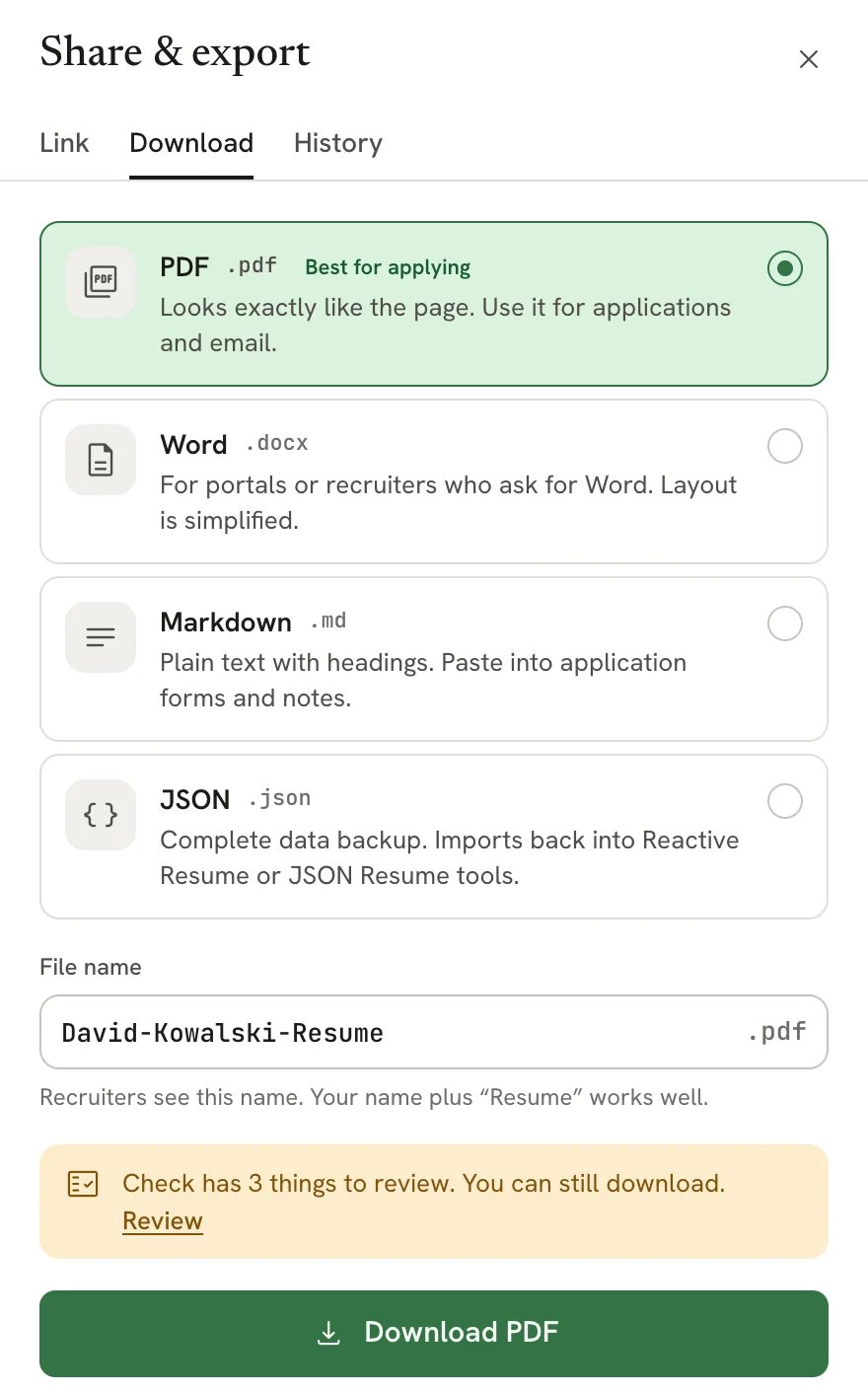
The Download tab of the Share & export sheet
- Check has n things to review. You can still download. Check mode found issues on your resume. They never block a download; select Review to see them first.
- Also download the company cover letter appears when this resume belongs to a job application that has a cover letter. Tick it to get both files at once, in the same format.
- If a Word, Markdown or JSON file can’t be made, the tab says so. Select Try again, or Download PDF instead.
What each file contains
- PDF keeps your template, fonts, colors, layout and page breaks. Hidden sections and entries are left out.
- Word keeps your content, headings and lists in an editable document. Visual details such as columns, colors and icons are simplified, your photo isn’t included, and hidden content is left out.
- Markdown keeps headings, lists, links, bold and italic text. It leaves out hidden content and all visual design.
- JSON keeps everything: every section and entry, hidden ones included, your design settings and your private notes. To restore it, select New, then Import a resume, and choose the file. Importing creates a new resume; it doesn’t overwrite one.
Print your resume
1
Open the document menu
In the editor bar, select the resume’s name.
2
Select Print
Select Print. Reactive Resume prepares the same PDF you’d download and opens your browser’s print dialog. If
your browser blocks that, the PDF opens in a new tab so you can print it from there.
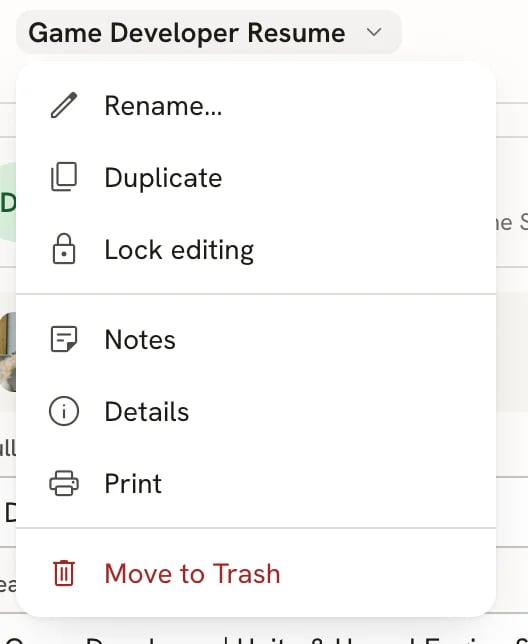
Print in the document menu
Downloads by visitors
If your resume has a public link, visitors can download the PDF from the public page, unless you turn off Visitors can download the PDF. These downloads show up in your statistics. See Sharing your resume with a link.Download PDF, Share and their shortcuts are unavailable while you’re offline. They come back when your
connection does.
Related guides
- Exporting a resume to Markdown: what the Markdown file looks like and where it’s useful.
- Writing a cover letter: letters have their own Download tab in their Share sheet.
- Fitting content on a page: tidy up page breaks before you download.
- Exporting your data: download everything in your account at once.
- Importing resumes: bring a JSON backup back into Reactive Resume.