

Before you start
Export your data from Settings → Account → Your data. The zip holds your resumes, cover letters, job applications and Career data as JSON files.Delete your account
1
Open Your data
Select your name at the bottom of the sidebar, then Settings. On the Account page, scroll to Your data.
2
Select Delete…
Next to Delete account, select Delete…. The Delete your account? dialog lists how many documents,
applications and API keys will go.
3
Type delete to confirm
Type
delete into the box. The Delete button stays unavailable until the word matches. To back out, select Keep
account.4
Select Delete
Reactive Resume deletes your account, signs you out and takes you to the home page.
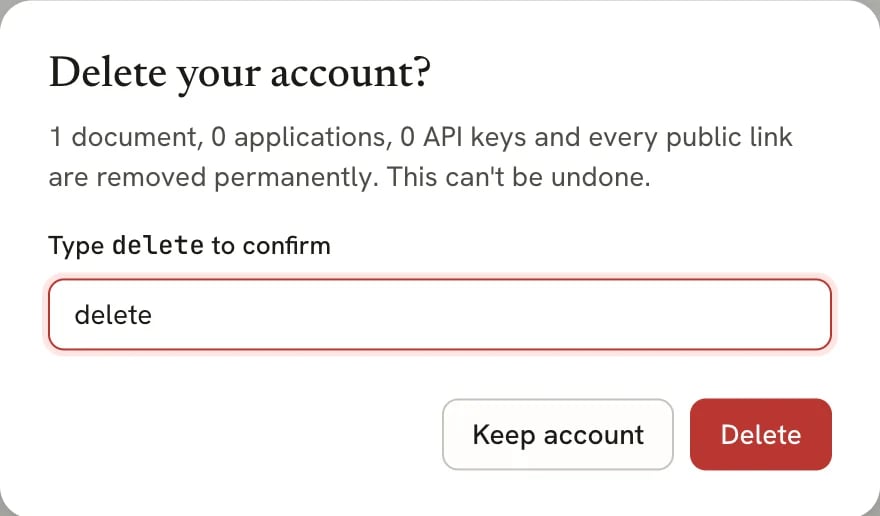
The dialog names what will be removed before you confirm
What gets deleted
- Every resume and cover letter, including those in the trash, and their version history.
- Every job application, including its workspace answers, saved results, offers and voice transcripts.
- Career facts, stories, preferences, conversations, schedules, notifications and discovered roles.
- Every public resume link. Anyone who opens one sees a page that no longer exists.
- Your uploaded files, such as photos.
- Your assistant conversations, API keys, saved AI providers, passkeys and linked social accounts.
Related guides
- Exporting your data: download everything before you delete.
- Exporting your resume: keep a PDF or JSON of a single resume.