

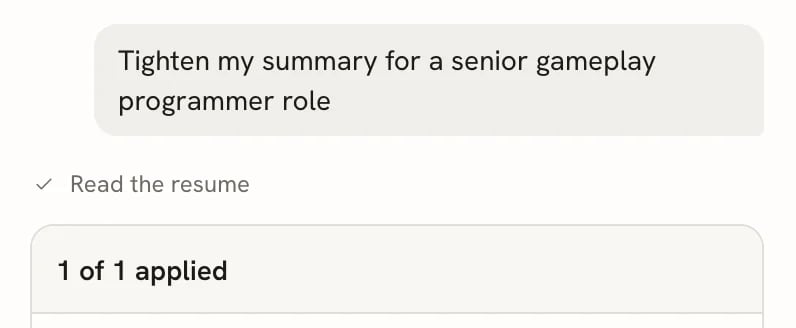
Tool steps appear as short status lines in the conversation
Tools
How edits are placed
Every edit targets one passage by the ID the read tool returned. When you accept, the new text replaces that passage (or is added after it) in your document, as a single step you can undo. If you or another change edits a passage after the assistant read it, the edit can no longer be placed. The card then says, for example, “1 edit couldn’t be placed: its text changed. Ask again to redo it.” Edits that were placed but whose passage changed afterwards show Out of date: the text has changed since. The assistant is instructed to rewrite only what your document already says: it doesn’t add employers, titles, dates, numbers, skills or achievements that aren’t in the document or the conversation. When a job posting asks for something your document doesn’t mention, it usesask_user_question first, and only drafts it from your answer.
What the assistant also sees
Besides what the tools return, each message can include:- The job posting: the role, the company, the job description (or its requirements list) and your notes from the linked application. A resume uses the application it was made for, or else the most recently updated application it’s linked to. A letter uses only the application it was made for. Removing the posting chip leaves it out.
- Attachments: images, PDFs and MP3 or WAV audio are passed to the model directly, when the provider supports them. Other types are only listed by name.
- The conversation so far: earlier messages, tool results and your answers.
Web search support
A selected Web access connection always supplies search throughsearch_web, regardless of which AI provider you use. Only one search mechanism is offered per reply. Reading a supplied link uses read_page; built-in reading needs no commercial web account.
Without a web connection, the assistant can choose read_page to fetch a supplied public URL with the built-in reader. If the page cannot be read, paste the relevant text. The AI model does not fetch page content from a URL alone.
The source list combines successful search/read results, deduplicates links, and survives reopening the conversation. Links invented in the reply text are not added as retrieved sources. Failed or interrupted web tools show that outcome; they do not show a successful search. Existing conversations retain source evidence from historical native searches.
Limits
Stopping a reply cancels outstanding search and reading as well as the model request.