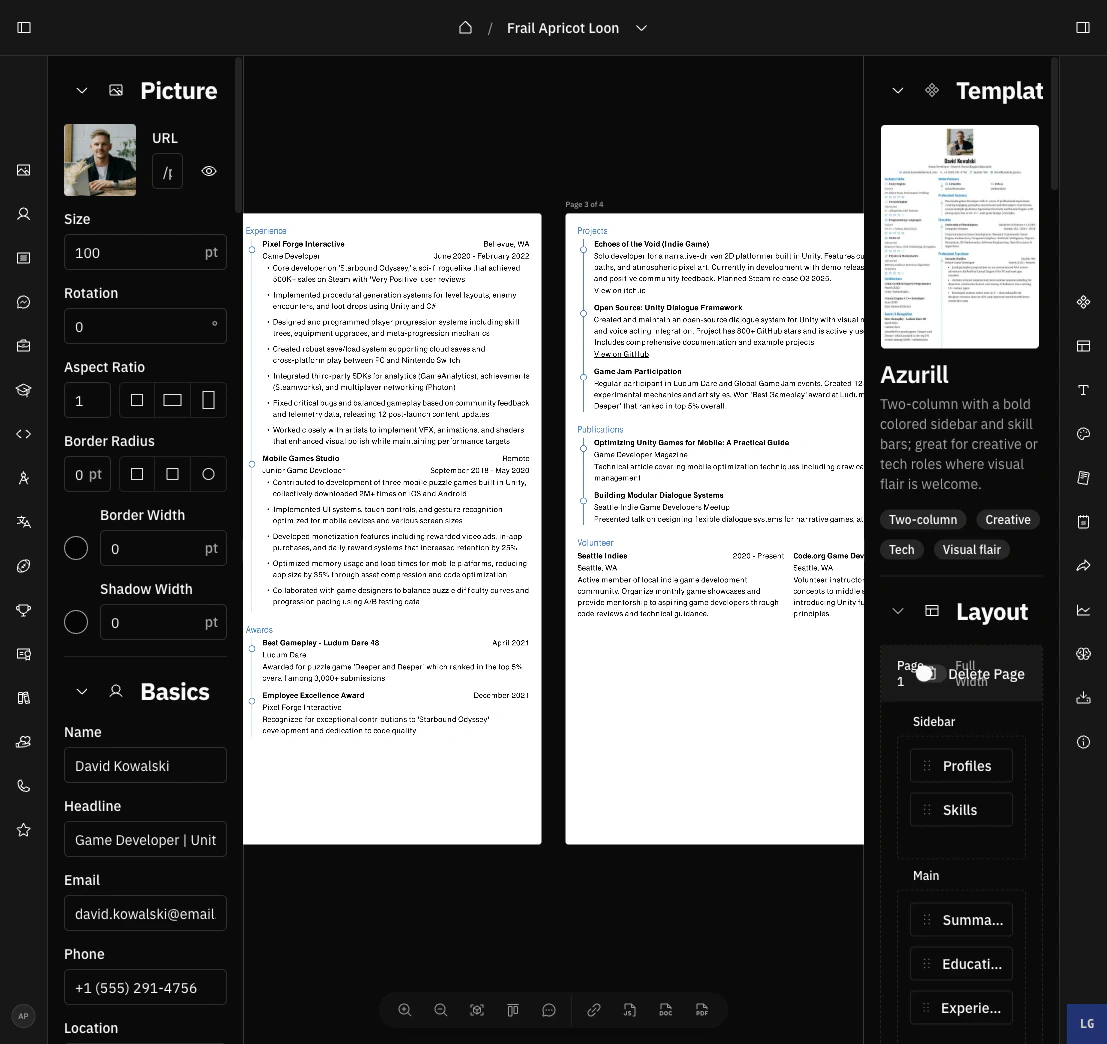
Use the builder dock for undo and redo, zoom controls, page stacking, opening the AI Agent, and copying the public resume URL.
The builder dock is the floating toolbar at the bottom of the resume builder. It holds undo and redo, preview controls, the AI Agent workspace, and the resume’s public URL, so you can reach them without leaving the canvas.
The dock starts with Undo and Redo buttons. They apply to every change in the builder: typing, drag-and-drop, template switches, layout changes, and AI edits.You can also use keyboard shortcuts:
Shortcut
Action
Cmd/Ctrl+Z
Undo the last change
Cmd/Ctrl+Shift+Z
Redo the last undone change
Rapid typing collapses into a single undo step, so one undo removes a phrase rather than one letter.
When your cursor is inside a text field, the shortcut falls back to your browser’s native input undo. Click outside the
field, or use the dock buttons, to undo builder-wide changes.
Click the chat button to open the AI Agent workspace in a new page, pre-scoped to the current resume. The agent suits larger, standalone conversations that create their own draft.For chatting about the open resume without leaving the builder, use the AI assistant in the builder header instead. See Using AI in the builder.
Click Copy URL to copy the resume’s public URL.The URL is based on your username and the resume slug:
https://rxresu.me/{username}/{slug}
Copying the URL does not make the resume public by itself. To allow visitors to open the link, enable public access in
the Sharing section of the right sidebar.
Downloads are no longer on the dock. Use the primary Download PDF button in the builder header, or open the dropdown next to it for DOCX, JSON, and Print. See Exporting your resume.