

Before you start
Social sign-in only works when the site has set it up. On rxresu.me the available providers appear in Settings → Account. On a self-hosted copy you may see none, some, or a provider named after your organization’s sign-in service. If a provider isn’t listed, it isn’t available on that site.Connect a provider
1
Open Sign-in & security
Select your name at the bottom of the sidebar, then Settings. On the Account page, scroll to Sign-in & security.
2
Select Connect
Each available provider has its own row, such as Google, GitHub or LinkedIn. Select Connect next to
the one you want.
3
Approve the request
Sign in to the provider if asked, and allow access. You return to Settings → Account, and the row now reads Connected.
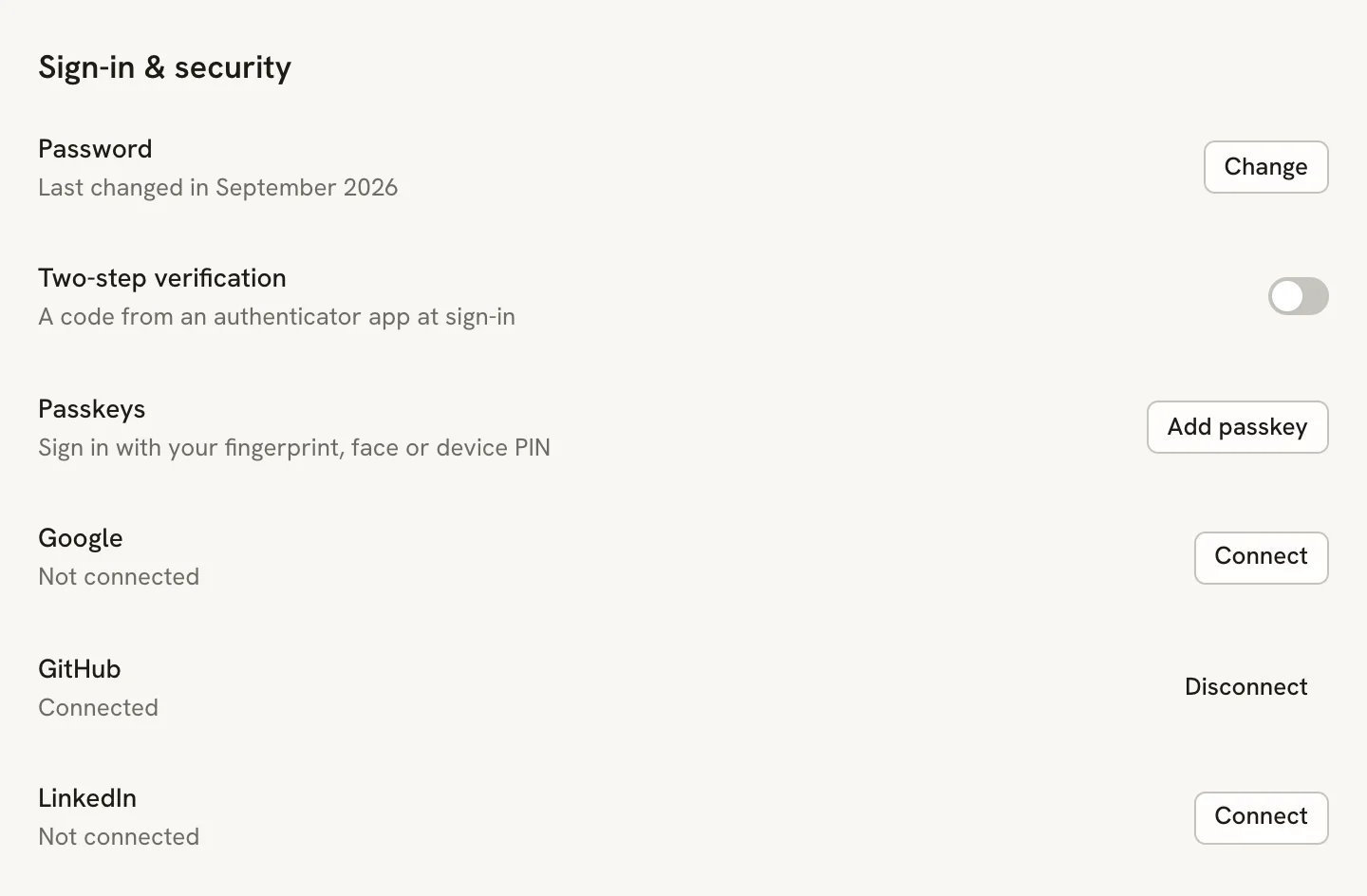
Provider rows in Sign-in & security. Only providers the site has set up are listed.
Disconnect a provider
In Sign-in & security, select Disconnect next to a connected provider. You can no longer sign in with it, but your account and documents stay as they are. You can’t disconnect your last sign-in method. If you signed up with a social account and have only one provider, set a password or connect another provider first. A passkey doesn’t count here.Related guides
- Signing in: all the ways to get into your account.
- Setting up passkeys: sign in with your fingerprint, face or device PIN.
- Single sign-on for self-hosters: how the site owner turns providers on.