

Add a fact
- Open Knowledge → Facts.
- Write a concrete statement in the fact input. Include your contribution and a measured result only when you know it.
- Choose Accomplishment, Experience, Skill or Preference.
- Select Add.
Write a five-part story
Open Knowledge → Stories → Add a story. Give the story a clear title, add optional tags, and fill in the five parts.
Situation, Task and Action are required. Leave Result blank if you cannot support the outcome. A story can still be useful without a number. Reflection can also stay blank until you have something useful to add.
Under Backed by, select the facts that support the story. Then select Save story.
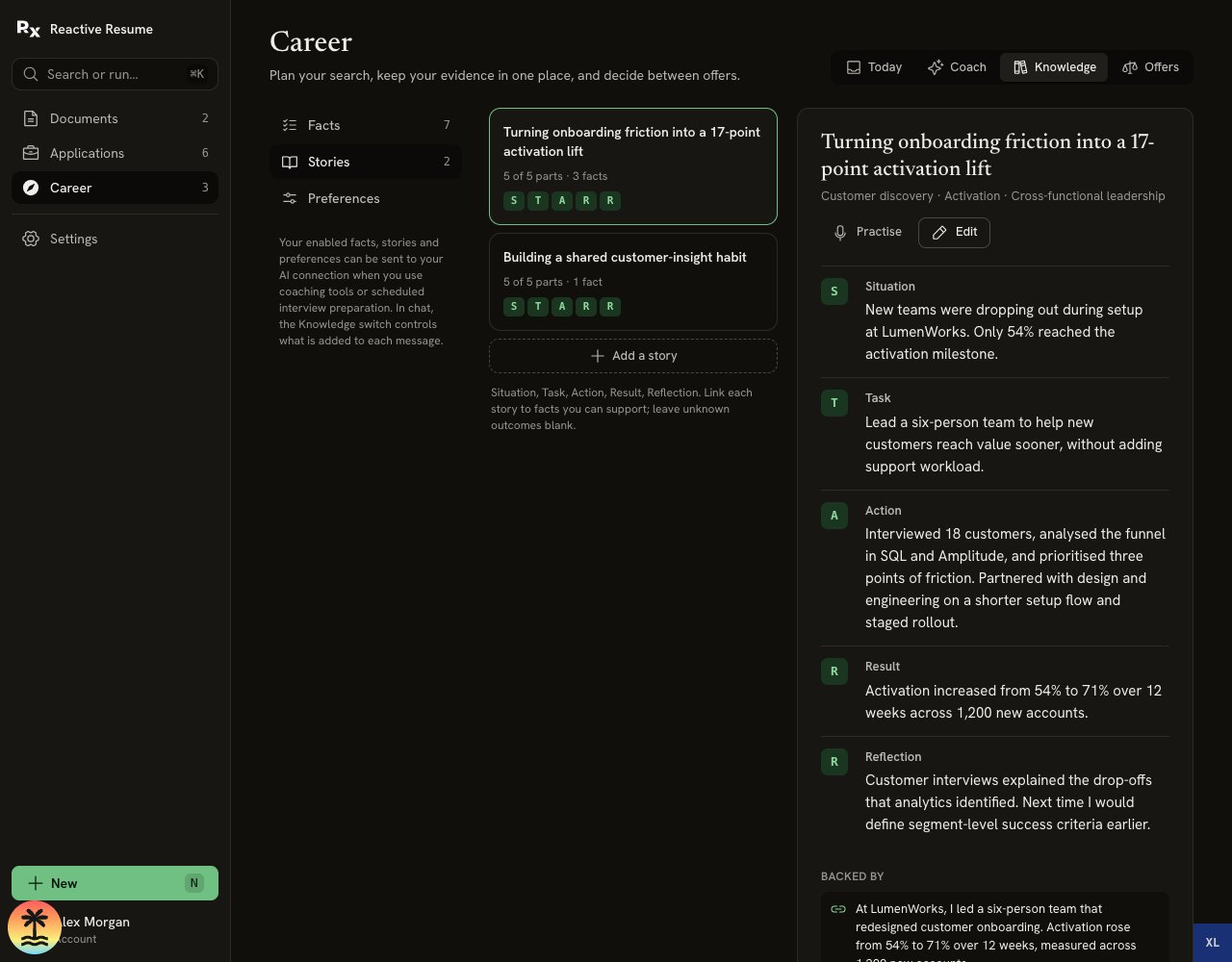
The story has five parts and links back to the facts behind it.
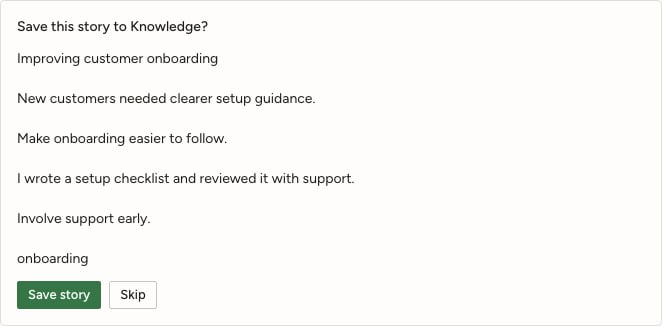
Review the proposed story before saving it to Knowledge.
Reuse the story
- In Apply, add a form question and choose Draft to draw on relevant Knowledge.
- In Prepare, open the stories suggested for the interview, or draft one that is missing.
- In Practice, rehearse a question using your story, then review feedback.
- In Coach, keep Knowledge on when you want those facts and stories included with your message.
Choose what the coach remembers
At the top of Facts, Remember facts from my messages offers three choices:
Practice answers are not remembered as career facts. You can still add a real accomplishment manually when you are ready to stand behind it.
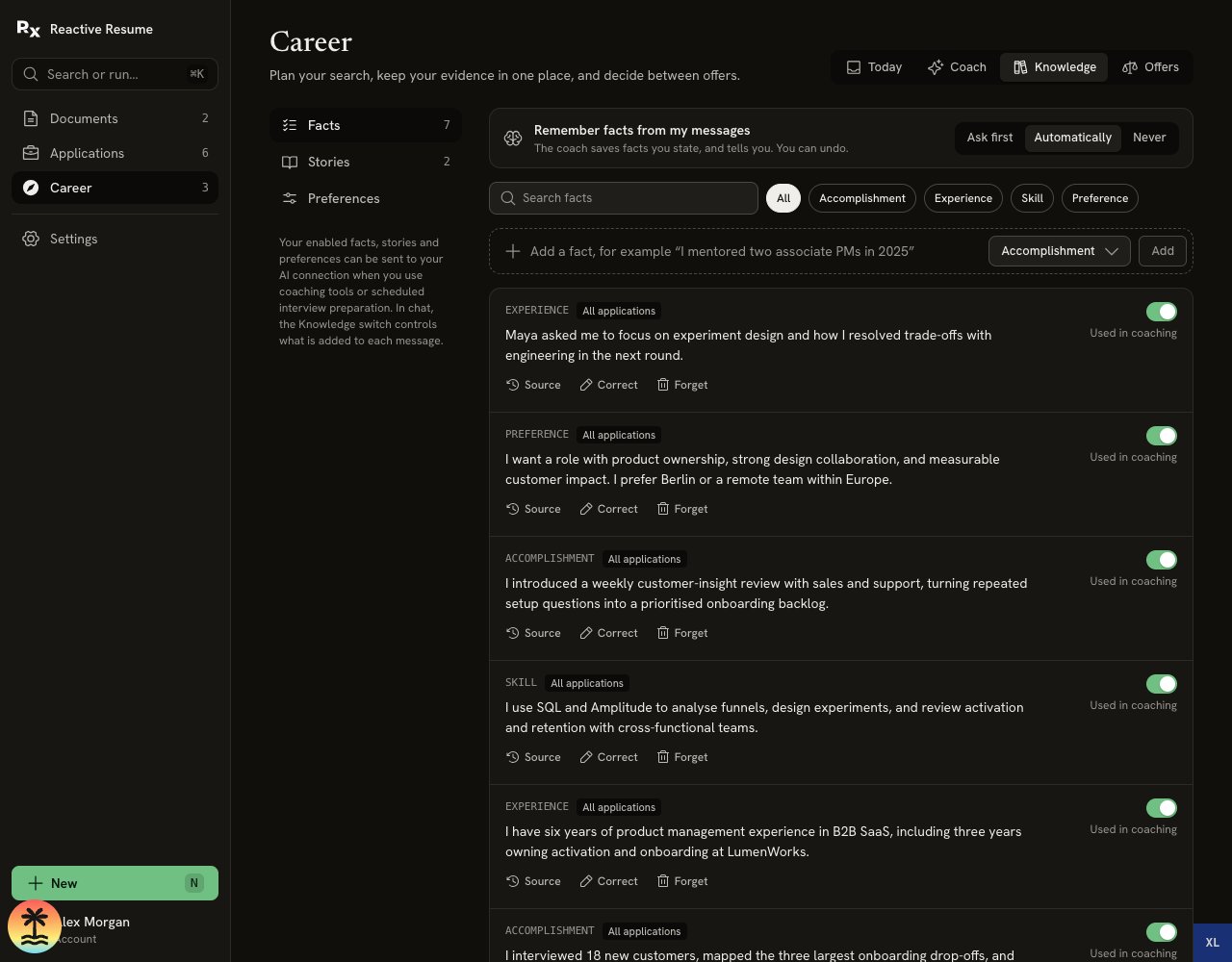
Facts have source, correction and coaching controls. This demo account has Automatically selected; new accounts start with Ask first.