

Write notes for a resume
1
Open the document menu
In the editor, select the resume’s name at the top left. The document menu opens.
2
Select Notes
Select Notes. The Notes dialog opens with the editor ready for typing.
3
Write your notes
Type your notes. The toolbar under the text offers bold, italic, links, bulleted and numbered lists, and clear
formatting, and Markdown shortcuts such as
- for a list work too.4
Close the dialog
Notes save automatically as you type. Close the dialog when you’re done.
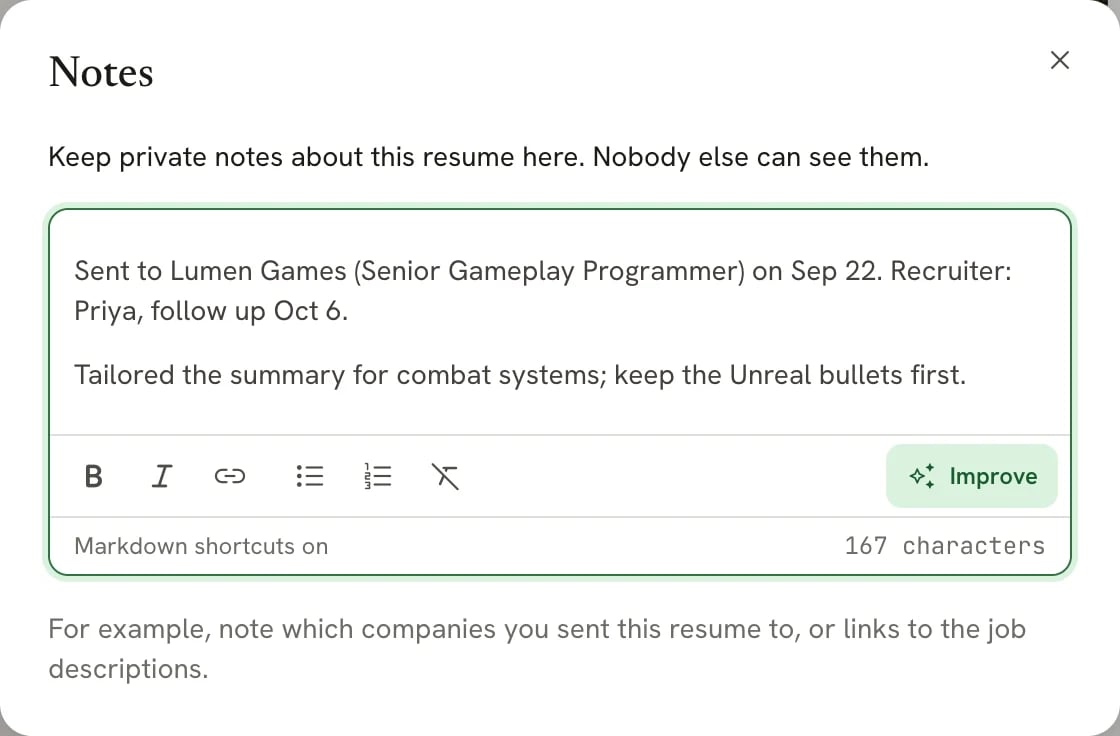
The Notes dialog, opened from the document menu
Who can see your notes
Notes are for you. They aren’t printed on the resume, and they’re left out of:- the page preview and the downloaded PDF
- DOCX and Markdown exports
- your public resume page, for anyone who isn’t you
- JSON export. The JSON file is a full copy of the resume’s data, notes included. Remove them before you share that file.
- History. Every saved version includes the notes as they were, and restoring a version restores its notes too.
Notes for applications
If you’re tracking where you applied, each application in Applications has its own notes, next to its stage, contacts and interviews. Use application notes for things about one job, and resume notes for things about this version of your resume, such as which roles it’s tailored for. Cover letters don’t have a notes area.Related guides
- Managing an application: notes, contacts and next steps for one job.
- Undoing changes and version history: name a version when you send the resume.
- Formatting text: the text toolbar and Markdown shortcuts.